Datapoint → CCTV assignment check
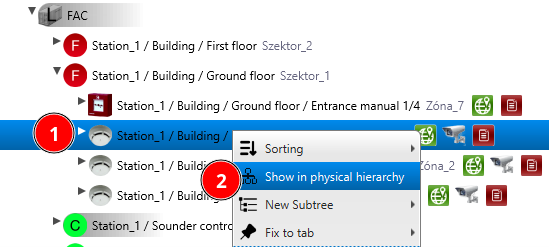
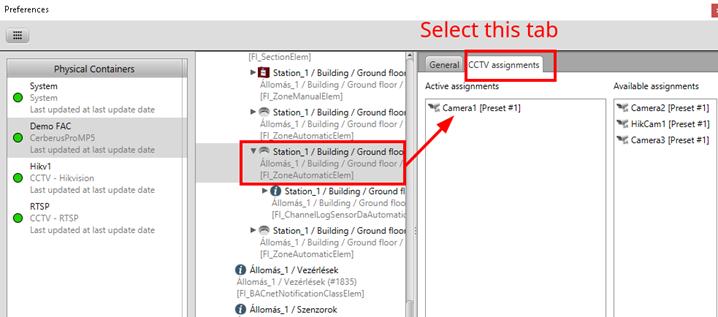
Select a detector, right-click and select Show in physical hierarchy. In the physical hierarchy dialog you can see the active camera assignment of that datapoint.
Help: In the Datapoint Hierarchy right-click on a detector and select Show in physical hierarchy. Check the camera assignment listed in the physical hierarchy dialog.