Installation of demo
Download and install the SIWENOID demo client on your computer.
Link to download: https://siwenoid.com/index.php/download-a-siwenoid-v2-demo/
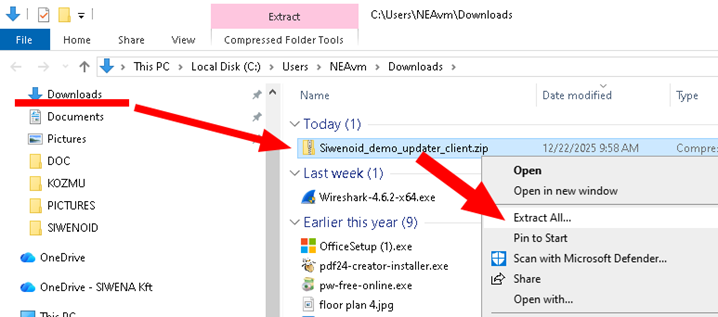
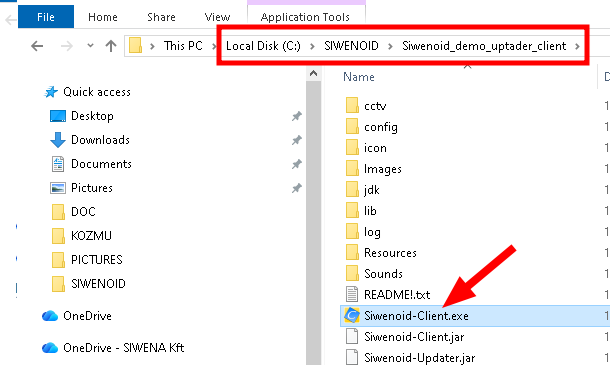
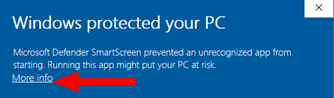
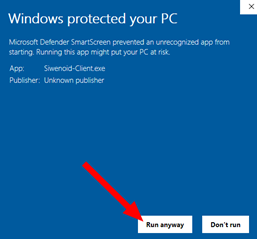
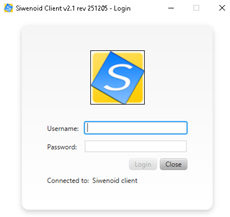
Help: Go to the download page and download the demo. Extract the .zip file to a folder on your C: drive. Launch the application. At first run Windows may warn you about a protection issue — this is due to the JAVA application, choose Run anyway. The application will connect to the server running in the office of SIWENA ltd in Budapest. When the connection is established the login dialog appears — use your login credentials.