
Simulate a fire alarm
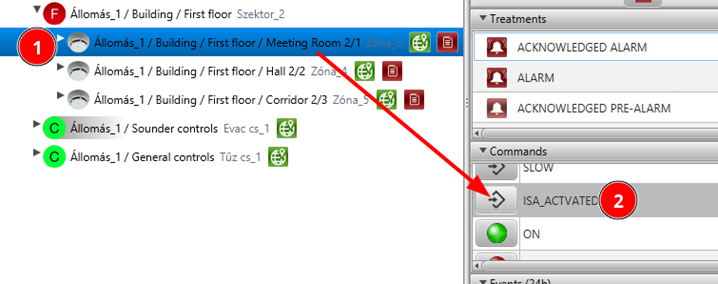
Select a datapoint (detector) and send ISA_ACTIVATED command twice.
Help: In the Datapoint Hierarchy right-click on a detector and send ISA_ACTIVATED command. First command triggers PREALARM, second command triggers ALARM.
Operation in ALARM
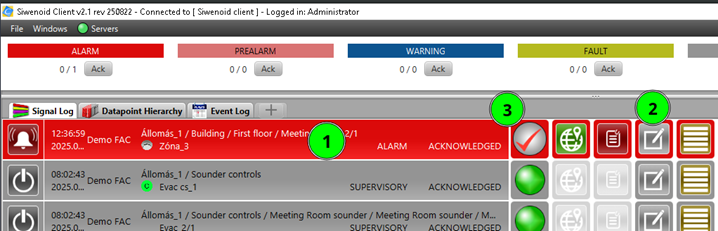
Execute all operations in case of an alarm. 1) Acknowledge 2) Reset → NORMAL
Help: When an ALARM appears in the Signal Log, right-click on it and select Acknowledge. After acknowledging, right-click again and select Reset to return the detector back to NORMAL state.
New intervention text
Add a new intervention text.
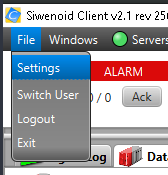
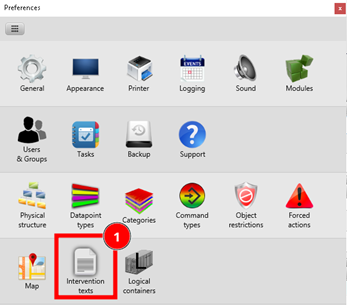
Help: Go to File → Settings → Intervention texts. Click Add new and type your intervention text. Save when ready.
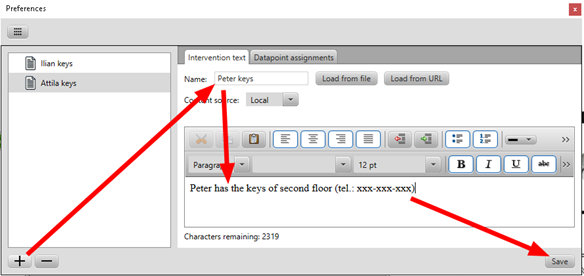
Intervention text datapoint assignment
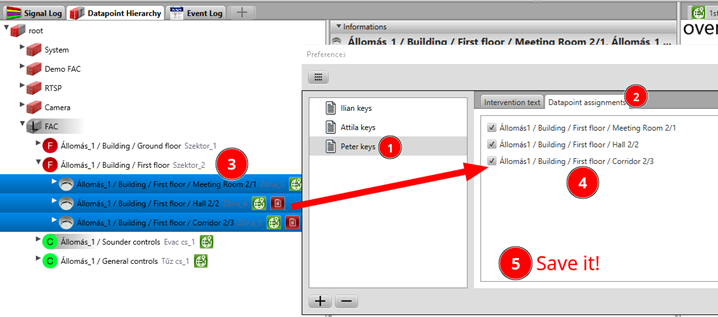
Assign some datapoints to the new intervention text.
Help: In File → Settings → Intervention texts select your intervention text. Then multiselect the datapoints in the Datapoint Hierarchy and drag and drop them into the intervention text dialog.
Delete intervention text assignment
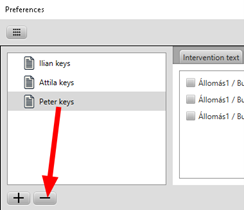
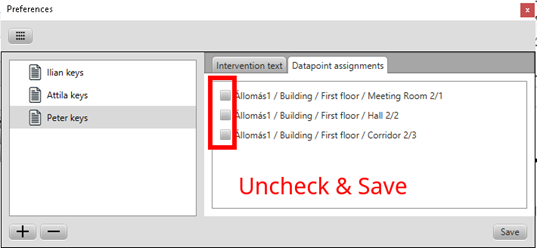
Delete intervention text and datapoint assignments.
Help: In File → Settings → Intervention texts select the intervention text. Remove the datapoint assignments first. Then delete the intervention text itself.
Change category of a certain event
In this section we change the manual call point default category when it is switched OFF. Manual call point OFF (SUPERVISORY) is in EXCLUSION category by default. We change it to WARNING to emphasize that it is an unusual operation state which requires higher attention from the guard.
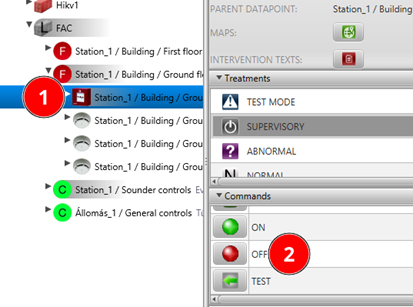
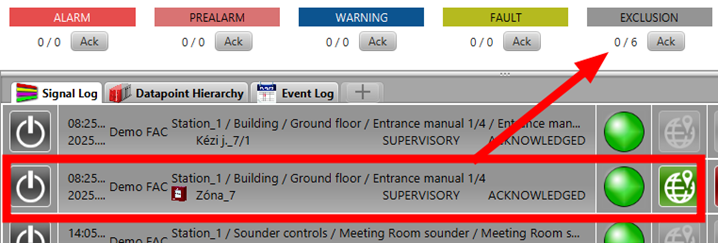
As a preparation switch OFF a manual call point. It will appear in the Signal Log as a new EXCLUSION.
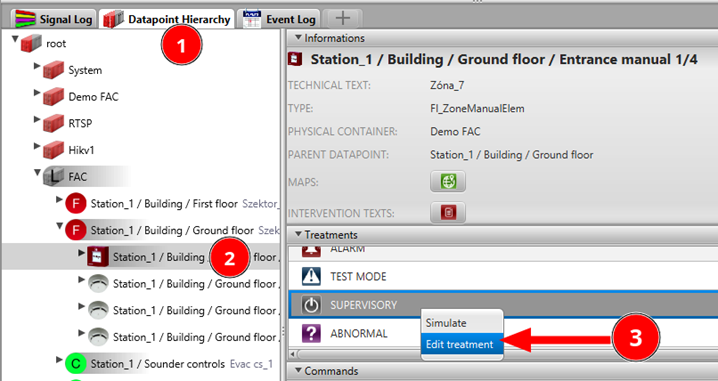
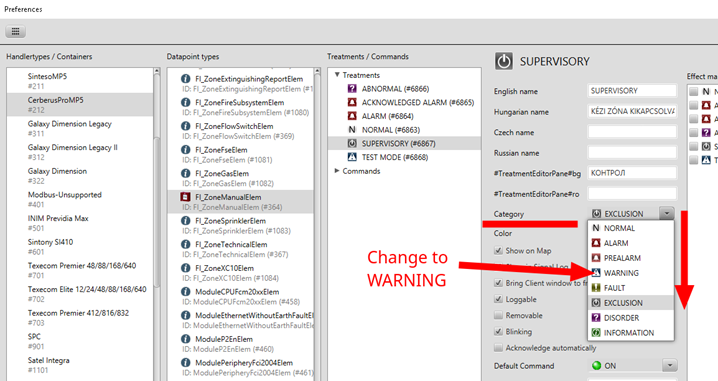
In Datapoint Hierarchy select the manual call point and right-click on SUPERVISORY active state and select Edit treatment. In the Preferences dialog change the category of the SUPERVISORY (OFF) state to WARNING. Save when ready.
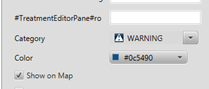

Finally check the Signal Log and confirm that the manual call point OFF status now belongs to WARNING category.
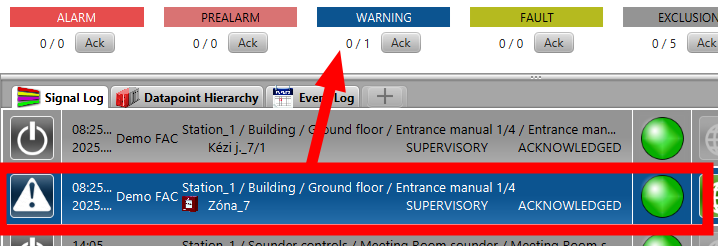
Don’t forget to undo your change after the exercise!