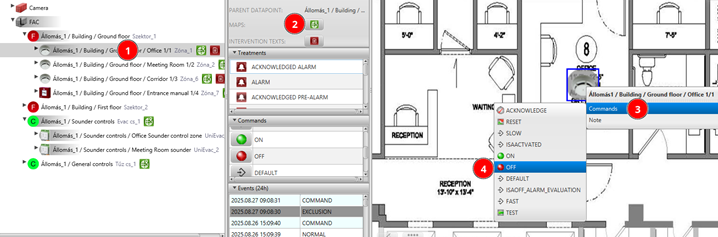
ON/OFF from map
Switch ON-OFF this detector from map.

Help: On the map, right-click on the detector icon. From the command menu select Switch ON or Switch OFF.
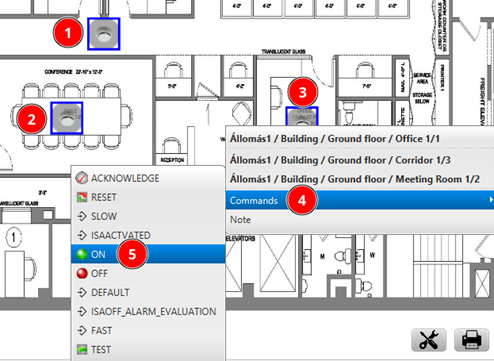
Multiselect on a map
Make a multi-selection on a map and switch them ON.
Help: Hold CTRL and click multiple detector icons on the map to select them. Right-click on the selection and choose Switch ON from the command menu.
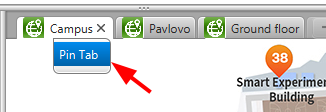
Pin (fix) a map tab
Set a map to be fixed so it has no close button. It is useful when you want a map to be set as root.
Help: Right-click on the map tab and select Pin tab. Check that the close button (x) disappears from the tab.

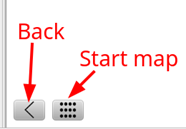
Map navigation
Use the navigation control on the left bottom corner of a map.
Help: On the map find the navigation control in the bottom left corner. Use it to pan and zoom around the map.