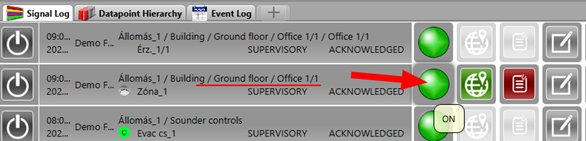
Switch ON a detector from Signal Log
When a detector is switched OFF it appears in the Signal Log. Please switch it ON from Signal Log.

Help: In the Signal Log find the detector that is in OFF state. Right-click on it and select Switch ON from the command menu.
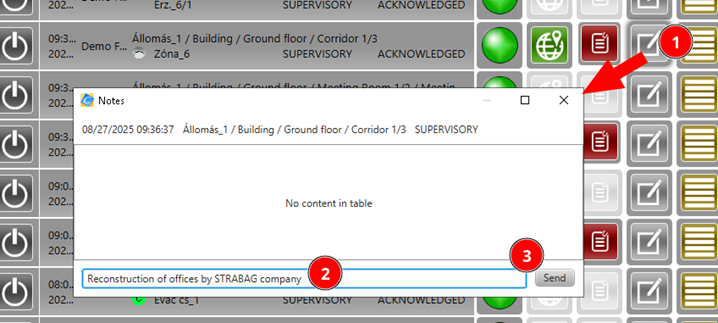
Add a note in Signal Log
In Signal Log add a note to the datapoint event.
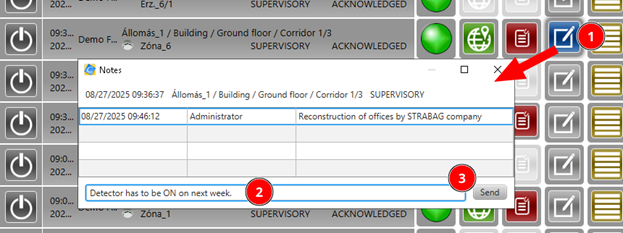
Help: In the Signal Log right-click on the event and select Add note. Type your note and confirm. Check that the note icon changed to blue — this indicates a note is assigned to the event.

Then add a second note to the same event by right-clicking again and selecting Add note.
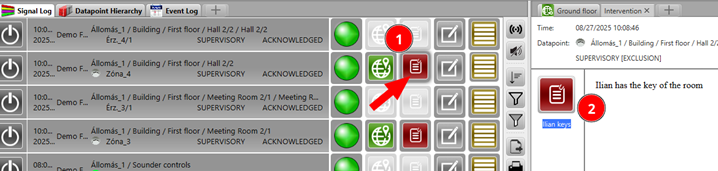
Intervention text
Check the intervention text assigned to the datapoint.
Help: In the Signal Log right-click on the event and select Show intervention text. Read the pre-defined instructions assigned to that datapoint.
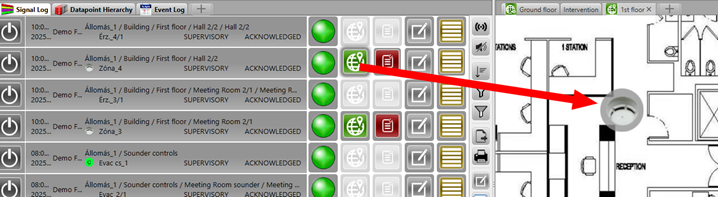
Open map from Signal Log
Open the map that is associated with the datapoint of an event.
Help: In the Signal Log right-click on the event and select Show on map. The map associated with that datapoint will open automatically.